A character-variant studio that runs in your browser
Every expression,
from one sprite.
Generate both expression and outfit variants from presets.
Recoloring, outlines and more — plus transparent-PNG, sprite-atlas and ZIP export — all in your browser.
No install — try it right in your browser
- Deterministic edits — recoloring, outlines and more — work with no AI setup
- For AI, choose the cloud (free credits) or your own PC (SD WebUI)
- Your work is saved to the cloud with your account and follows you across devices

 ID 0.97 ✓
 ID 0.95 ✓
 ID 0.96 ✓
 ID 0.94 ✓
 ID 0.95 ✓
 ID 0.96 ✓
0.58 ✗ retry
ID 0.96 ✓
0.58 ✗ retry
Featured
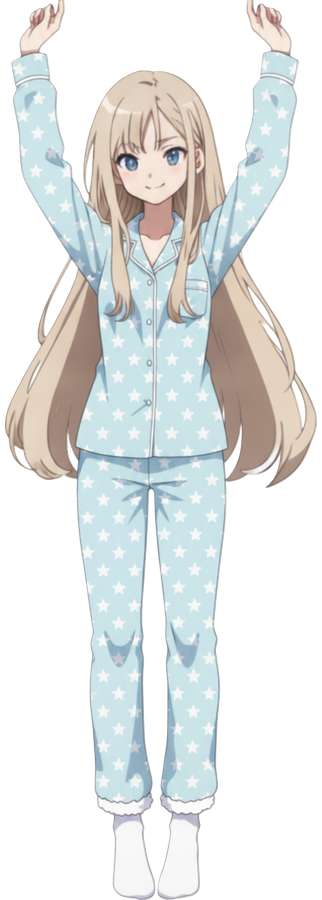
Swap the entire outfit, from one sprite
Keep the exact pose and expression — swap only the outfit. From uniform to casual, swimsuit or kimono, dress one sprite for any scene.
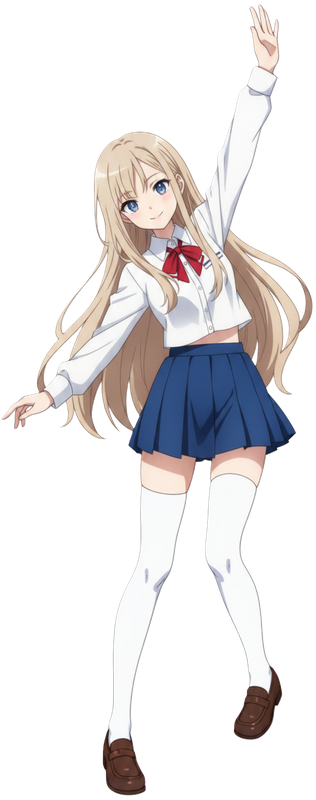
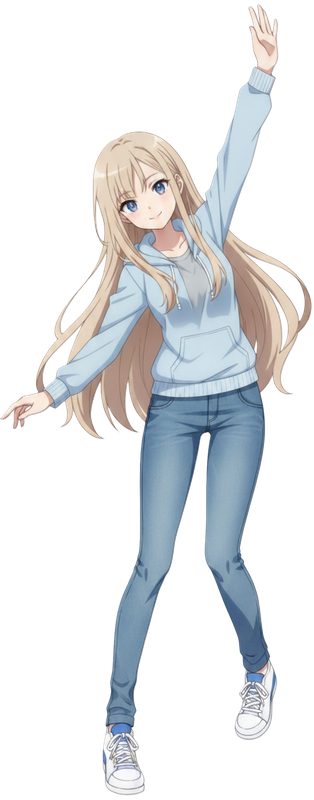
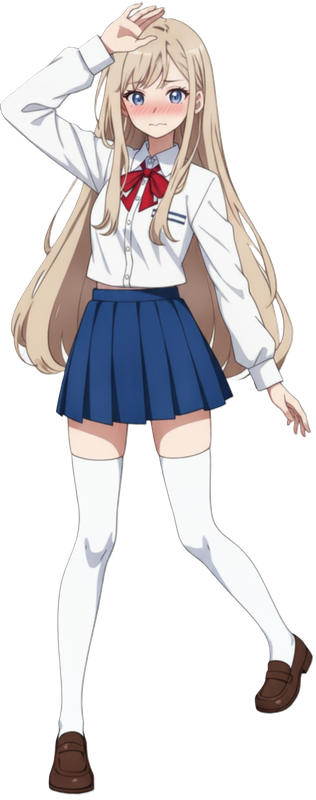
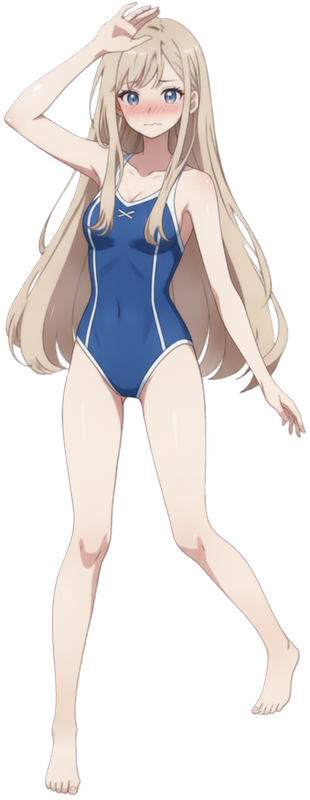
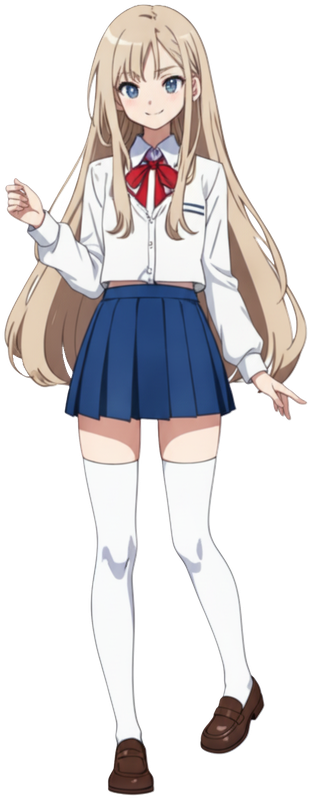

Only the outfit is changed by AI — the pose and expression stay identical. Generate in the cloud (free credits) or on your own PC with SD WebUI (free and unlimited).
What Emotuber does
Batch output × identity control × ready-to-use exports
The whole character-variant workflow, completed inside your browser.
Batch-generate expression variants
Generate every expression at once from presets like smile, angry, surprised, crying and blushing — plus color variations in the same run.
Automatic quality keeps your character on-model
Expression variants are evaluated mechanically — off-model results are discarded and regenerated automatically, so the face stays consistent across variants.
Exports you can use immediately
Transparent PNGs, contact sheets, ZIP bundles — and Phaser / PixiJS-compatible sprite atlases (PNG + JSON), in one click.
Works with no AI setup
No AI? Still this capable.
Everything below is deterministic processing — no AI keys, no GPU. It just works on your uploaded sprite, every time.
Recolor & color replace

Recolors just the skirt while keeping the shading. Skin, hair and eyes stay untouched.
Sticker-style outline

One-click outlines for stream overlays.
Export preview
0,0smile.png512,0laugh.png0,640angry.png512,640surprised.png0,1280cry.png512,1280blush.pngEvery variant on one sheet — export as a Phaser / PixiJS-compatible sprite atlas (PNG + JSON) or a ZIP.
Also: flip / transparency eraser (eraser & magic-erase) / contact sheets / transparent-PNG, sprite-atlas & ZIP export / cloud-synced library.
High-precision AI on cloud GPU
Decompose into layers — hair, eyes, outfit and all
“See-Through”, a high-precision AI running on cloud GPU, automatically decomposes one sprite into many transparent layers — front and back hair, the left/right iris, eye-white, lashes and brows, nose, mouth, ears, clothing, arms and legs. Astonishingly fine-grained.
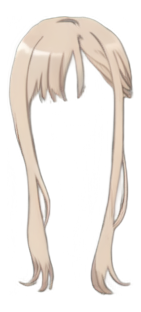
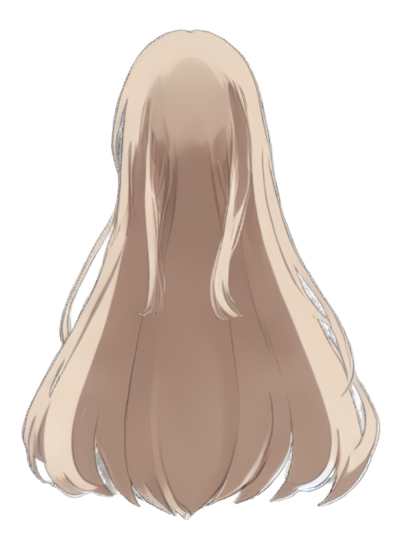
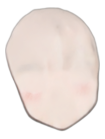


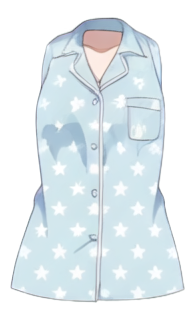
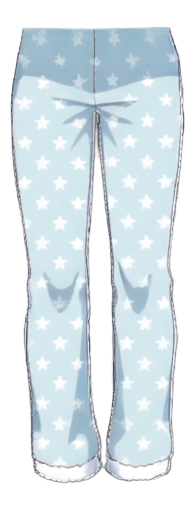
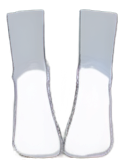


Occluded areas hidden behind other layers (the face behind hair, the body behind clothes) are reconstructed by AI, so every part comes out as a complete transparent PNG. It runs on cloud GPU, so you don't need a powerful PC. Processing takes around 10 minutes.
AI generation (optional, your choice)
AI for expressions, poses, outfits & backgrounds
Choose your AI: the cloud (free credits) or your own PC's SD WebUI (free, unlimited). No vendor lock-in.


Both animations are actual Emotuber output (no retouching), generated from a single character image.
Expression & outfit variants
Batch-generate expressions like smile, angry and surprised from presets; off-model results are discarded and regenerated automatically to keep your character consistent. Outfit variants (uniform, swimsuit, kimono…) keep the pose and face fixed and repaint only the clothing — mask a region to control what changes.
AI poses, backgrounds, editing & new characters
Also generate AI poses from skeleton presets or a reference image, AI backgrounds that keep your character intact, natural-language image editing, and brand-new character sprites from presets.
Expression variants are quality-checked automatically; off-model ones are discarded and regenerated. Poses, outfits and backgrounds are generated while keeping your character's look intact.
Coming next: a thumbnail-creation assistant and more.
Free to start
Core editing is always free. AI generation is credit-based — you only pay for what you use.
Free plan
¥0
- Unlimited core editing (background removal, recolor, outline…)
- Free credits on sign-up for AI expression variants
- Your work is saved to the cloud (browser-only if not signed in)
Credits (pay as you go)
Only what you need
- Each AI generation spends credits
- Top up anytime, only what you need
- Use your own PC's SD WebUI to spend no credits
Credit packs start at ¥500 (tax incl.) for 150 credits — about 10 generations. See the Specified Commercial Transactions Act notation for each pack. No pressure meters.
FAQ
Does it cost money?
Core editing (background removal, recoloring, outlines and more) is always free. AI expression-variant generation is credit-based: within the free credits granted on sign-up there's no extra cost, and you can top up with more credits whenever you need them (no subscription). Use your own PC's SD WebUI and it's free and unlimited, spending no credits.
How is my artwork and data handled?
When you sign in, your work (characters and variants) is stored in the cloud tied to your account so it cannot be lost (isolated per account; never used for training), with your browser (IndexedDB) acting as a working cache. Without signing in, your work is stored only in your browser. We never use your uploaded images for training (deterministic edits may be cached briefly by input hash, but are never used for training). Only when you use cloud AI (Gemini) is your image sent to Google at generation time, and account data for credit management (such as your email) is handled by our billing server. See the Privacy Policy for details.
Do I need to install anything? What are the requirements?
No installation — it's a web app that runs straight in your browser. It's designed for PCs running a current version of Chrome, Edge or Firefox.
Can I use the generated variants commercially?
Yes. You can use the generated variants, parts and outputs commercially — including streaming and monetization — within the scope of the rights you hold in the source material you upload. We don't add any license fee or restriction to the generated output itself. Please make sure you hold the rights to whatever you upload, and don't use material that infringes third-party rights. See the Terms of Service for details.
How is this different from existing AI expression-variant services?
Three main ways. (1) Quality control: for expression variants, off-model results are discarded and regenerated automatically to keep your character consistent. (2) Choice of AI: cloud (credits) or your own PC (SD WebUI, free and unlimited). (3) End-to-end output: sprite atlases, outlines and other game/stream-ready exports are built in. On top of that, the AI-free core editing alone covers a lot of the work.
One sprite — start in your browser now.
No install. Core editing is always free, and you can try AI generation right away with the free credits you get on sign-up.
No credit card required to get started.